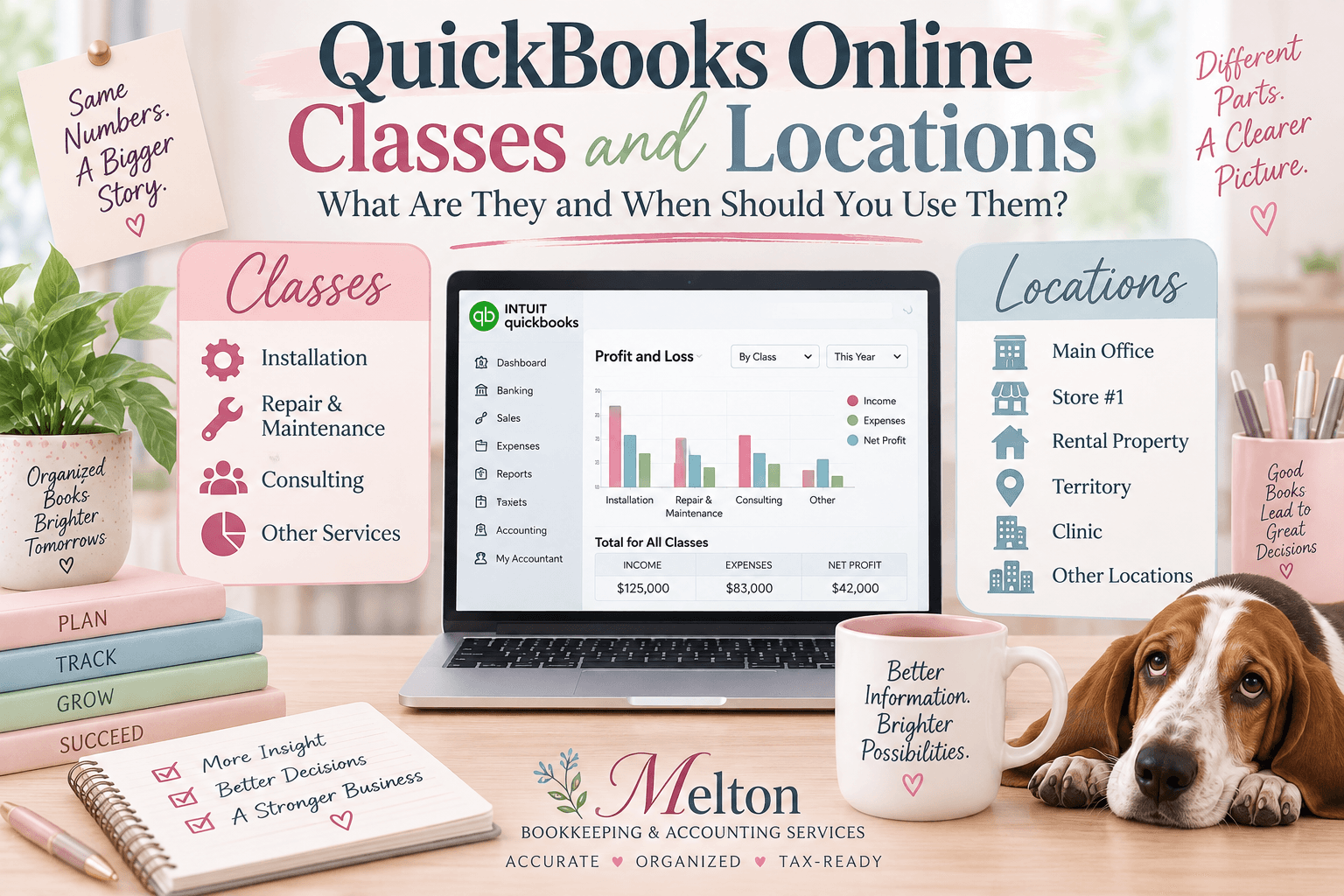
QuickBooks Online Classes and Locations are tracking tools that help you measure different parts of your business. Classes track departments, divisions, or service lines, while Locations track where business activity occurs, such as offices, stores, clinics, or rental properties.
But not every business needs them, and sometimes your Chart of Accounts or QuickBooks projects is a better way to get the information you need.
QuickBooks Online can tell you how much your business earned and how much it spent.
But what if you need to know more? Suppose you need to know which department is profitable, or which service line makes the most money, or which of your locations are performing best?
If you own rental properties, you want to know which property is producing a profit? You also need income and expenses broken down by property for your tax return.
QuickBooks Online’s Class Tracking and Location Tracking features can help answer those questions. But that doesn’t mean every business should use them.
In fact, before turning on either feature, I think there is a more important question to ask yourself.
What information are we trying to get from QuickBooks that our current financial statements aren’t already giving us?
Sometimes a properly designed Chart of Accounts already provides the answer.
Other times, Classes, Locations, Projects, or a combination of tracking methods can turn ordinary bookkeeping records into much more useful management information.
Let’s look at the differences.
What Is Class Tracking in QuickBooks Online?
Classes allow you to categorize transactions by meaningful segments of your business.
For example, a company might use Classes for departments, divisions, service lines, product lines, programs, or areas of responsibility. The purpose is not simply to create more categories.
The real value comes when management wants to see the income, expenses, and profitability of different segments of the business.
What Is Location Tracking in QuickBooks Online?
Location Tracking allows a business to categorize transactions according to different locations, offices, regions, outlets, or other operating areas within the same company.
For example, a business with offices in Springfield, Branson and Joplin might use Location Tracking to determine how each office is performing.
Instead of only knowing that the entire company made $300,000, management may be able to see which location(s) generated that profit, and if any location is losing money.
Classes vs. Locations in QuickBooks Online: What’s the Difference?
Here’s a simple way to think about it.
Chart of Accounts = What was the money for?
Class = Which part of the business was responsible for it?
Location = Where did it happen?
Project = Which specific job or project did it belong to?
These tools can sometimes work together, but they aren’t interchangeable.
The goal isn’t to use as many of them as possible.
The goal is to use the simplest accounting structure that gives management the information it actually needs.
So, Why Wouldn’t I Just Use Separate Accounts on the Chart of Accounts?
This is an important question.
Suppose a company provides three services: installation, repair & maintenance, consulting. Why not simply create three income accounts? You can.
In fact, if all the owner wants to know is how much revenue each service generates, that may be the best solution.
The Chart of Accounts could include:
| Income Account | Revenue |
| Installation Income | $700,000 |
| Repair & Maintenance Income | $350,000 |
| Consulting Income | $150,000 |
| Total Revenue | $1,200,000 |
Now we know exactly where the revenue came from.
If that’s all management needs, we may not need Classes at all.
But Revenue Doesn’t Tell Us Profitability
Suppose the next question is: Which of these three services is actually making us money?
Now we need more information.
The company also has expenses such as wages, materials, vehicle expense, insurance, advertising and office expenses. Our Chart of Accounts tells us what the company spent. But it doesn’t necessarily tell us which service line incurred those expenses.
We could solve that by creating installation wages, repair wages, consulting wages, installation materials, repair materials, consulting materials, installation vehicle expense, repair vehicle expense, and consulting vehicle expense.
And we could continue doing that for every expense category. Technically, that works. But imagine doing it for 20 or 30 expense accounts. Our Chart of Accounts could become unnecessarily large and difficult to manage.
Instead, we could maintain accounts such as wages, materials, vehicle expense, insurance and advertising and assign the appropriate transactions to installation, repair & maintenance and consulting classes.
Now a Profit & Loss by Class could look something like this:
| Installation | Repair & Maintenance | Consulting | |
| Revenue | $700,000 | $350,000 | $150,000 |
| Wages | $250,000 | $110,000 | $65,000 |
| Materials | $175,000 | $70,000 | $5,000 |
| Vehicle Expense | $35,000 | $25,000 | $5,000 |
| Other Expenses | $100,000 | $65,000 | $115,000 |
| Profit (Loss) | $140,000 | $80,000 | ($40,000) |
Now we have learned something important. Consulting generated $150,000 of revenue. But it lost $40,000.
That’s information management can act on. Management can tackle the questions:
Should consulting prices increase?
Are employees spending too many hours providing those services?
Are costs being properly controlled?
Should the company change how the service is delivered?
Or would resources be better invested in Installation or Repair & Maintenance?
That’s where Class Tracking can become much more valuable than simply creating separate income accounts.
So When Should I Use the Chart of Accounts Instead of Classes?
Start by asking what you need to know. “How much installation revenue did we earn?” A separate Installation Income account may be all you need.
“How profitable is our Installation Division compared with our Repair Division?” Classes may be useful because now we’re trying to match both income and expenses to different operating segments.
That’s an important distinction.
Don’t add another layer of bookkeeping unless that additional layer gives you information worth having.
A Real Estate Example: An Investor With 50 Rental Properties
Real estate provides an excellent example of how these tracking tools can be used.
Suppose an investor owns 50 commercial and residential rental properties. Management doesn’t simply want to know: “Did the real estate business make money?”
The investor may want to know: “Which properties are making money?”
Assuming the properties are appropriately accounted for within the same QuickBooks company, which is another topic for another day, Location Tracking may be useful for identifying individual properties.
For example locations could include 123 Main Street, 456 Oak Avenue and 789 Commercial Drive.
The Chart of Accounts could remain relatively straightforward with rental income, property taxes, insurance, repairs & maintenance, utilities, property management fees, lawn care and legal & professional fees.
Suppose the investor pays a plumber $1,500 for work at 123 Main Street.
The transaction might be identified as:
Account: Repairs & Maintenance
Location: 123 Main Street
The account tells us what the expense was.
The Location tells us which property incurred it.
That’s much cleaner than creating accounts such as 123 Main Street Repairs and 456 Oak Avenue Repairs and repeating that structure for every expense category across 50 properties.
Could a Real Estate Investor Use Classes Too?
Possibly—but I wouldn’t necessarily create 50 Classes for 50 properties if Locations are already being used to identify the individual properties. Classes could instead answer a different management question.
For example classes could be separated out into residential, commercial and multifamily properties.
Locations can be separated out into individual property addresses. Now the investor may be able to analyze the business at two different levels.
The location report will answer the question: How is 123 Main Street performing?
The class report will answer the question: How is our residential investments performing compared with our commercial investments?
That’s much more useful than having Classes and Locations duplicate one another.
What About Shared Expenses Across Rental Properties?
This is where thoughtful accounting becomes important.
Suppose the investor pays $30,000 for an insurance policy covering 15 properties. Which property gets the expense? Or suppose a maintenance employee works across 20 properties. How should payroll be allocated?
If management wants an accurate picture of profitability by property, shared expenses need to be allocated using a reasonable and consistent methodology.
Depending on the expense, that might involve factors such as square footage, revenue, number of units, employee time, actual usage, or another reasonable allocation method.
Simply turning on Location Tracking doesn’t automatically produce accurate property-level financial statements. Your bookkeeping procedures have to support the reporting goal. I like to tell my clients to remember this: crap in = crap out. QuickBooks can’t read your mind. You have to make sure you put in all of the relevant information on every transaction recorded.
One Important Warning for Real Estate Investors: Consider the Legal Entities
Before putting 50 properties into one QuickBooks company and separating them with Locations, there is another important question: How are those properties legally owned?
For example, the investor might have ABC Properties LLC, Main Street Properties, LLC and Smith Family Partnership. Separate legal or tax entities may require separate accounting records.
Location Tracking should not be used simply as a substitute for maintaining separate books when the entities themselves should be accounted for separately.
This is why the accounting structure should be considered before simply deciding, “We’ll create a Location for every property.”
As a practical matter, think about this. If someone is on one of your properties and they fall and decide to seek damages from you, you will be asked for your books. Do you want them to see all of your entities? Or do you want them to have access to only the entity named in the lawsuit?
Each entity, or EIN number, should have its own QuickBooks file. If each of your 50 properties is listed as a separate LLC with a separate EIN number, then you will need to have 50 QuickBooks files.
That is just one more thing to discuss with your attorney when setting up your business(es).
When Is Class Tracking Useful?
Class Tracking may be helpful when management wants profitability information for different segments of one business.
Service Businesses
Classes might represent installation, repair, maintenance and consulting.
Healthcare Practices
Depending on the practice classes might represent medical services, cosmetic services, retail products and other service lines.
Law Firms
Classes might include litigation, estate planning, family law and business law.
Fitness Businesses
A fitness business may need to track classes for memberships, personal training, group classes and nutrition coaching.
Construction Companies
Classes might identify broad divisions such as residential, commercial and service. However, classes should not replace proper job costing.
If the question is: “Is our Commercial Division profitable?” Class Tracking may be appropriate.
If the question is: “Did the Smith Office Remodel make money?” that’s a specific job profitability question.
QuickBooks Online Projects is designed to track income and costs associated with specific projects and can provide project profitability information.
When Is Location Tracking Useful?
Location Tracking may be useful for businesses operating from multiple locations or where management needs financial information for distinct operating sites.
Examples include dental practices with several offices, medical practices with multiple clinics, salons with several locations, businesses with multiple branches, and Real estate portfolios with multiple properties, when appropriate for the entity structure.
Suppose a dental practice has three offices. The overall company may be profitable, but one office could be generating most of that profit while another is struggling.
Management may want to know that before deciding whether to hire another employee, add another provider, expand the office, increase marketing, renegotiate a lease, reduce expenses, or open another location.
That’s when Location Tracking can become important management information, not simply bookkeeping detail.
Can You Use Classes and Locations Together?
Yes, when each serves a different purpose.
For example, a business might have Locations in Springfield, Branson and Joplin and Classes for installation, repairs & maintenance and consulting.
Now management can potentially analyze both where the company operates and which business segments are performing well.
But don’t create both simply because you can. If Class and Location are tracking exactly the same thing, ask whether both are really necessary.
Who Uses Class and Location Information?
Business Owners
Owners can use this information when making decisions about pricing, staffing, expansion, cost reductions, marketing, service offerings, resource allocation and underperforming divisions or locations.
Managers
A manager responsible for a particular department, division, or location can use financial results to measure performance instead of relying solely on revenue.
Bookkeepers and Accountants
Your accounting professional can use these reports to identify trends and ask better questions.
Why did payroll increase dramatically in this department?
Why did one location’s gross profit decline?
Why is one service line generating substantial revenue but very little profit?
CPAs and Tax Professionals
Your tax preparer may primarily need company-wide financial information for tax preparation, but well-organized books can also provide better information for year-end planning and discussions with the business owner. But, don’t forget, if you own rental properties, your tax professional will need income and expenses broken down by each property for your return.
Banks, Lenders, Investors, and Other Advisors
Depending on the circumstances, outside parties may also want more detailed information about different parts of the business.
How Do You Turn On Classes and Locations in QuickBooks Online?
Class Tracking and Location Tracking are currently available in QuickBooks Online Plus and QuickBooks Online Advanced.
To turn on the features:
- Go to Settings
- Select Account and settings
- Select Advanced
- Find the Categories section
- Turn on Track classes, Track locations, or both, as appropriate
- Save your changes
For Classes, QuickBooks also provides options for how Classes are assigned to transactions. Before changing these settings, however, I recommend designing the reporting structure first. Don’t start creating Classes and Locations until you know exactly what you want them to accomplish.
Does Every Business Need Classes or Locations?
The answer is no.
And this may be one of the most important points in this article. If separate income accounts already tell you everything you need to know, don’t add Classes just because the feature exists.
If you have one office and don’t need location-specific reporting, you don’t need Location Tracking.
Every additional tracking method adds another coding decision to the bookkeeping process. That means more opportunities for inconsistency and error.
Before adding anything, ask: What question are we trying to answer that our current financial statements cannot answer?
If you can’t identify the question, you may not need the additional tracking.
Don’t Overcomplicate Your QuickBooks File
More detail isn’t automatically better.
If employees and bookkeepers can’t consistently determine which Class or Location belongs on a transaction, the resulting reports may eventually become unreliable.
I’d rather see a business consistently use five meaningful Classes than inconsistently use fifty.
The goal isn’t to collect the greatest amount of financial data possible. The goal is to collect the right information to help someone understand and manage the business.
Consistency Is What Makes the Reports Valuable
Turning on the feature is easy. Using it correctly month after month is the important part.
If half of the expenses have Classes and the other half don’t, a Profit & Loss by Class report can provide an incomplete or even misleading picture.
As part of the monthly close, someone should review for transactions without classes, transactions assigned to the wrong class, transactions assigned to the wrong location, shared expenses requiring allocation, new transactions that don’t fit the existing reporting structure and changes in the business that may require the structure to be reconsidered.
The report is only as reliable as the information going into it.
QuickBooks Classes vs. Locations vs. Chart of Accounts vs. Projects
Here’s the simplest way to decide where to start:
| If you want to know… | Consider… |
| How much did we spend on advertising? | Chart of Accounts |
| How much revenue came from Installation? | Income account / Chart of Accounts |
| Is Installation more profitable than Repair? | Classes |
| Which office is most profitable? | Locations |
| Which rental property is profitable? | Locations may be appropriate, depending on entity structure and workflow |
| Is Residential more profitable than Commercial? | Classes may be appropriate |
| Did a specific construction job make money? | Projects / job costing |
There isn’t one correct tracking method for every business. The right answer depends on the question you’re trying to answer.
Frequently Asked Questions About QuickBooks Classes and Locations
What is the difference between Classes and Locations in QuickBooks Online?
Classes are generally useful for tracking meaningful business segments such as departments, divisions, or service lines. Locations are useful for categorizing activity associated with different locations, offices, regions, outlets, or similar operating areas.
Should I use Classes or separate income accounts?
If you only need to know how much revenue came from different services, separate income accounts may be sufficient. Classes become more useful when you want to analyze both income and expenses to determine the profitability of different business segments.
Should rental properties be Classes or Locations in QuickBooks?
If multiple properties are appropriately maintained within the same QuickBooks company, Locations may be useful for tracking individual properties, while Classes could potentially identify broader categories such as Residential, Commercial, or Multifamily.
However, legal entity structure, transaction workflow, reporting needs, and shared expense allocations should be considered before deciding on the setup.
Should I create a separate QuickBooks Location for every rental property?
Possibly, if property-level profitability is important and the properties belong in the same accounting file. But Location Tracking should not be used merely to combine separate legal or tax entities that should otherwise maintain separate accounting records.
Can I use Classes and Locations together in QuickBooks Online?
Yes. They can work well together when they answer different questions. For example, Locations might represent individual offices while Classes represent service divisions.
Do I need Class Tracking if I already have separate income accounts?
Not necessarily. If your existing Chart of Accounts provides all the information management needs, adding Classes may simply create unnecessary bookkeeping work.
What QuickBooks Online plans include Class and Location Tracking?
QuickBooks Online currently makes Class Tracking and Location Tracking available in its Plus and Advanced plans.
Sometimes Your Books Need to Tell You More
Accurate bookkeeping should tell you whether your numbers are correct. But a thoughtfully designed accounting system can do more. It can help you understand questions such as:
How does the business make money?
Where does it make money?
Which services, divisions, properties, or locations are actually profitable?
The goal isn’t to use every feature QuickBooks offers.
The goal is to determine what information you need to run your business and then design QuickBooks to provide that information as simply and accurately as possible.
If your current QuickBooks reports aren’t answering the questions you need to make business decisions, it may be time to take another look at your setup.
Need help deciding whether Classes, Locations, Projects, or simply a better Chart of Accounts is the right solution for your business?
Melton Bookkeeping & Accounting Services can review your QuickBooks setup and help determine the best way to organize your financial information without making your bookkeeping more complicated than it needs to be.
Call Melton Bookkeeping & Accounting Services at (417) 630-0057.
Accurate. Organized. Tax-Ready.